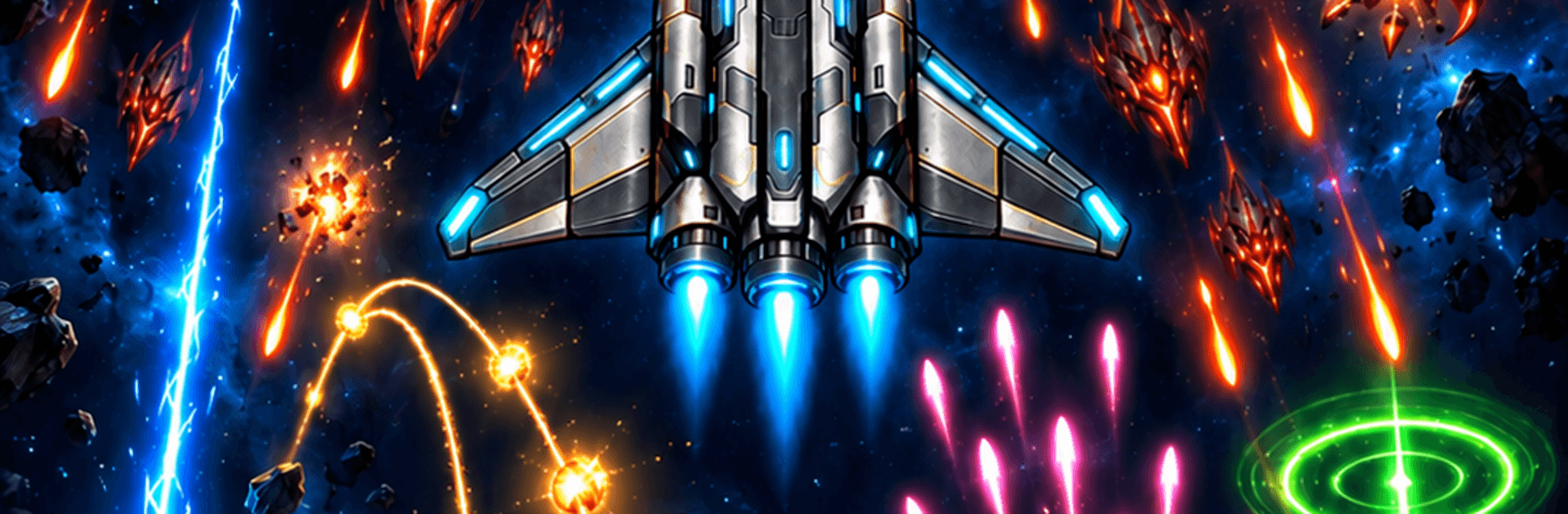
SF Defense: Tower Defence TD

SF Defense: Tower Defence TD

Strategy

| bciaiagent

Play on PC with BlueStacks or from our cloud

  • Overview
  • Game Features
  • How to Play

Page Modified On: November 26, 2026

Play SF Defense: Tower Defence TD on PC or Mac

SF Defense: Tower Defence TD by bciaiagent has plenty to keep you busy. BlueStacks lets you play it on PC or Mac with more screen space, better control, and fewer mobile limits.

About the Game

SF Defense: Tower Defence TD drops you into a desperate sci-fi standoff where a lone station faces wave after wave of hostile ships. It’s a fast, tactical Strategy experience built around short runs, sharp decisions, and upgrades that stick around to power your next attempt. Prefer a bigger screen? It plays smoothly on BlueStacks, too.

Game Features

  • One-handed portrait battles: Play comfortably in portrait with clean visuals and auto-fire handling the busywork while you steer the plan.
  • Build the line: Drop rail guns, burst cannons, mortars, and field generators along the approach, then set targeting rules so each turret hits what matters most.
  • Weapons with real roles: Piercing beams, arcing shells, and disruptor fields all do different jobs, each with its own upgrade path that shapes your build.
  • Battle cards, right when you need them: Level-ups deal a small hand mid-fight; pick one to add range, shots, piercing, or other twists on the spot.
  • Waves that don’t repeat: Elites, hulking bosses, and surprise meteor showers force fresh positioning and damage mixes every time.
  • Quick stages, lasting momentum: Clear a map in minutes, keep your unlocks, and invest in a research tree that meaningfully changes play—not just the numbers.
  • Smarter targeting and repositioning: Watch the squad bar, pull guns back before the front collapses, and squeeze extra value from the same turret.
  • Collection and bestiary: Track every enemy you’ve met, gather characters and gear, and see what’s still missing from your roster.
  • Patrols while you’re away: Send squads on background runs and return to handy resources without micromanaging every moment.
  • Cloud-friendly progress: Account-linked saves keep your run history and research safe across sessions.

Start playing SF Defense: Tower Defence TD on BlueStacks and get a smoother, more comfortable PC or Mac setup.

Game Features

Enhancements

  • Macros
  • Multi Instance
  • Multi Instance Sync
  • Eco Mode
  • Enhancements
Macros

Macros

Skip the boring parts of a game. Play SF Defense: Tower Defence TD with Macros and get the edge. Simply record a sequence of commands and execute them at any moment.
Multi Instance

Multi Instance

Why limit to one game on your phone when you can play many on your PC? Open multiple instances of SF Defense: Tower Defence TD at once with Multi-Instance. Leverage the power of different accounts by doing more.
Multi Instance Sync

Multi Instance Sync

Get the best out of SF Defense: Tower Defence TD with Multi-Instance Sync. Play the game from different accounts and build your own empire. Use Multi-instance sync to repeat the action in the main BlueStacks instance on all other instances.
Eco Mode

Eco Mode

Find the rarest heroes by making multiple summons in SF Defense: Tower Defence TD. And while you are at it, reduce your PC’s resource consumption with the Eco Mode. Farm efficiently. Get the best results.
Read More

How to Download and Play SF Defense: Tower Defence TD on PC or Mac

  • Download and install BlueStacks on your PC or Mac

  • Complete Google sign-in to access the Play Store, or do it later

  • Look for SF Defense: Tower Defence TD in the search bar at the top right corner

  • Click to install SF Defense: Tower Defence TD from the search results

  • Complete Google sign-in (if you skipped step 2) to install SF Defense: Tower Defence TD

  • Click the SF Defense: Tower Defence TD icon on the home screen to start playing

video
Watch Video

Minimum System Requirements

With BlueStacks 5, you can get started on a PC that fulfills the following requirements.

  • Operating System

    Microsoft Windows 7 or above, macOS 11 (Big Sur) or above

  • Processor

    Intel, AMD or Apple Silicon Processor

  • RAM

    at least 4GB

  • HDD

    10GB Free Disk Space

Note:

* You must be an Administrator on your PC. Up to date graphics drivers from Microsoft or the chipset vendor.

SF Defense: Tower Defence TD - FAQs

  • How to play SF Defense: Tower Defence TD on Windows PC & Mac?

    Play SF Defense: Tower Defence TD on your PC or Mac by following these simple steps.

    • Click on 'Play SF Defense: Tower Defence TD on PC’ to download BlueStacks
    • Install it and log-in to Google Play Store
    • Launch and play the game.
  • Why is BlueStacks the fastest and safest platform to play games on PC?

    BlueStacks respects your privacy and is always safe and secure to use. It does not carry any malware, spyware, or any sort of additional software that could harm your PC.

    It is engineered to optimize speed and performance for a seamless gaming experience.

  • What are SF Defense: Tower Defence TD PC requirements?

    Minimum requirement to run SF Defense: Tower Defence TD on your PC

    • OS: Microsoft Windows 7 or above MacOS 11 (Big Sur) or above
    • Processor: Intel, AMD or Apple Silicon Processor
    • RAM: Your PC must have at least 4GB of RAM. (Note that having 4GB or more disk space is not a substitute for RAM)
    • HDD: 10GB Free Disk Space.
    • You must be an Administrator on your PC.
