


PolyBuzz: Live Your Story
Play on PC with BlueStacks – the Android Gaming Platform, trusted by 500M+ gamers.

Page Modified on: Nov 5, 2026
Overview
EXPLORE A WORLD OF CHARACTERS
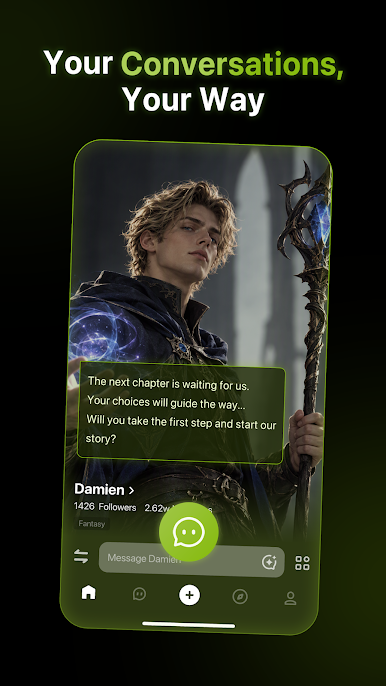
Discover characters with distinctive personalities, backgrounds, and stories. From anime-inspired designs to realistic styles, familiar character types to original creations, explore the work of community creators and find characters that capture your imagination.
CREATE CHARACTERS YOUR WAY
Turn your ideas into unique AI characters. Design their appearance, define their personality, and develop their backstory. Add experiences, interests, and defining traits to give each character depth. Whether you are starting with a simple idea or a fully developed concept, PolyBuzz gives you the tools to bring your vision to life.
IMMERSE YOURSELF IN THE STORY
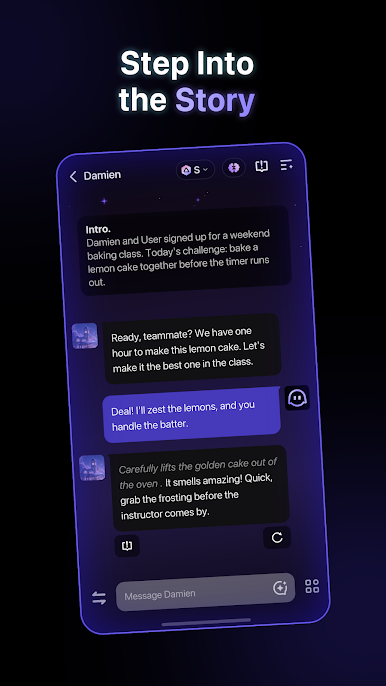
Step into your character’s world and explore a variety of roleplay scenarios. Bring your creativity to the unfolding story, from quiet everyday moments to adventures filled with unexpected discoveries. Explore new possibilities for your characters and let your imagination shape the experience.
GIVE EVERY CHARACTER A DISTINCTIVE VOICE
Choose a voice that complements your character’s personality, or blend and adjust voices to create a distinctive sound. Add another dimension to your creation with a voice that reflects who your character is.
Download PolyBuzz to discover memorable characters and bring your own stories to life.
Terms of Use: https://app.polybuzz.ai/static/hy/speakmaster/termsofUse/index.html?darkmode=1&darkStyle=1
Privacy Policy: https://app.polybuzz.ai/static/hy/speakmaster/privacyPolicy/index.html?darkmode=1&darkStyle=1
Please send your feedback to [email protected]


Play PolyBuzz: Live Your Story on PC. It’s easy to get started.
-
Download and install BlueStacks on your PC
-
Complete Google sign-in to access the Play Store, or do it later
-
Look for PolyBuzz: Live Your Story in the search bar at the top right corner
-
Click to install PolyBuzz: Live Your Story from the search results
-
Complete Google sign-in (if you skipped step 2) to install PolyBuzz: Live Your Story
-
Click the PolyBuzz: Live Your Story icon on the home screen to start playing


