


Car Driving City: Open World
Play on PC with BlueStacks – the Android Gaming Platform, trusted by 500M+ gamers.

Page Modified on: Oct 28, 2026
Overview
Take control of your dream car, race on highways, complete exciting driving challenges, and discover endless adventures in a stunning open world.
🚗 GAME FEATURES:
Open World Driving: Freely explore realistic city streets, highways, and exciting stunt zones.
Supercars & Sports Cars: Unlock powerful vehicles and experience smooth, realistic driving physics.
Drift & Racing: Burn rubber, master sharp turns, and push your driving skills to the limit.
Car Customization: Upgrade engines, wheels, paint, nitro, and more to create your dream ride.
Realistic City Traffic: Navigate busy roads, complete missions, and enjoy unlimited free driving.
Stunts & Challenges: Perform incredible jumps, explore hidden areas, and become a driving master.
Whether you love car racing, drifting, or relaxing city exploration, Car Driving City: Open World delivers an exciting driving experience.
Download now, start your engine, and rule the open roads!
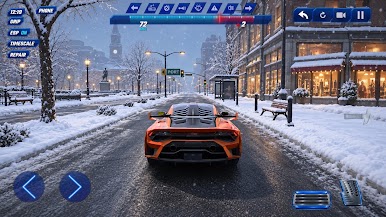
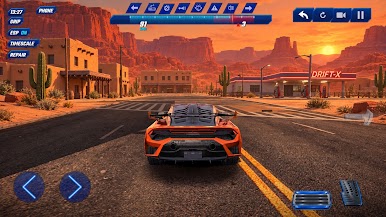
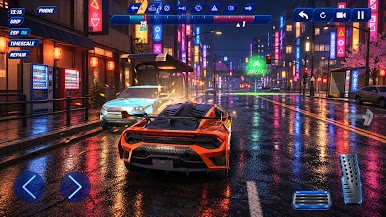
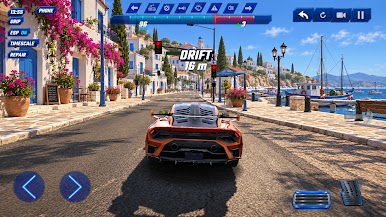
Play Car Driving City: Open World on PC. It’s easy to get started.
-
Download and install BlueStacks on your PC
-
Complete Google sign-in to access the Play Store, or do it later
-
Look for Car Driving City: Open World in the search bar at the top right corner
-
Click to install Car Driving City: Open World from the search results
-
Complete Google sign-in (if you skipped step 2) to install Car Driving City: Open World
-
Click the Car Driving City: Open World icon on the home screen to start playing


