


People Jam: Seat Puzzle
Play on PC with BlueStacks – the Android Gaming Platform, trusted by 500M+ gamers.

Page Modified on: Oct 30, 2026
Overview
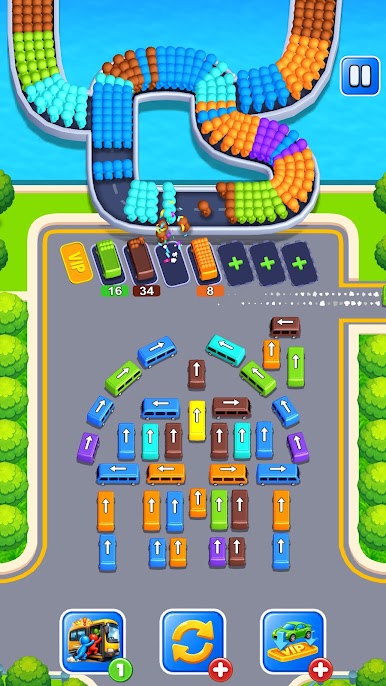
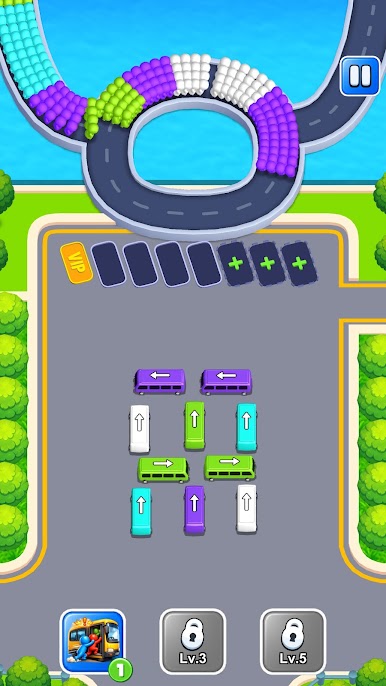
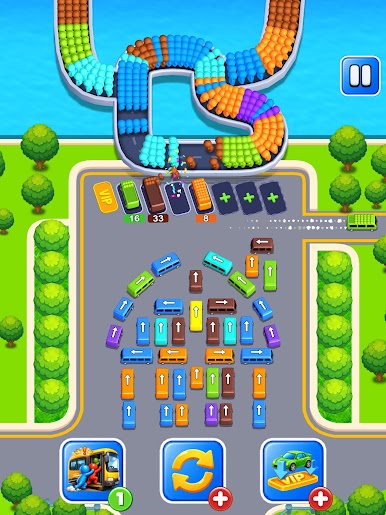
Passengers are waiting on a moving conveyor belt. Each one has a color — red, blue, yellow, green. Your job? Tap the bus that matches their color and send it to pick them up. Simple, right? Wait — the buses are parked all over the lot, and every bus has a direction arrow.
🎯 How It Works
Watch the conveyor belt. A red passenger appears. Tap the red bus. That bus will drive along its arrow path to pick up the passenger, then leave the lot. New passengers keep coming as the belt cycles.
🚧 Don’t Let Buses Collide
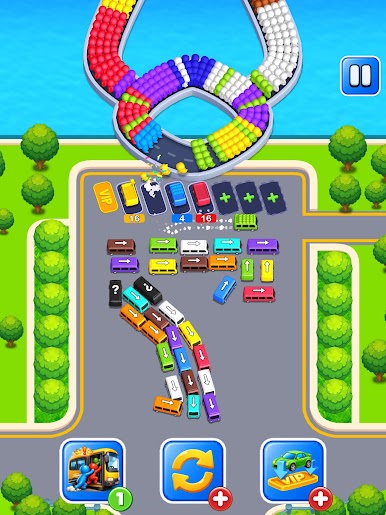
Buses move along fixed arrows. If two buses’ paths cross at the wrong time — crash! You’ll have to decide which bus to call first, which to hold back, and how to clear the lot without a single fender bender.
🔄 More Passengers, More Buses
The belt never stops. Passengers arrive in random colors, sometimes in groups. The parking lot is messy at first — buses pointing every which way. You’ll need to think ahead: call the bus that won’t hit another, or wait for a better moment.
📦 Clear Every Bus
Your goal is to drive every bus out of the lot, each one loaded with its matching passenger(s). Just a smooth, collision‑free operation.
Can you untangle the bus jam and get everyone to their ride? Tap, match, and roll out — but don’t let them crash! 🚦🚍🔴🔵🟡🟢




Play People Jam: Seat Puzzle on PC. It’s easy to get started.
-
Download and install BlueStacks on your PC
-
Complete Google sign-in to access the Play Store, or do it later
-
Look for People Jam: Seat Puzzle in the search bar at the top right corner
-
Click to install People Jam: Seat Puzzle from the search results
-
Complete Google sign-in (if you skipped step 2) to install People Jam: Seat Puzzle
-
Click the People Jam: Seat Puzzle icon on the home screen to start playing


