


Wheelie Boy: Moto Street Life
Play on PC with BlueStacks – the Android Gaming Platform, trusted by 500M+ gamers.

Page Modified on: Nov 4, 2026
Play Wheelie Boy: Moto Street Life on PC or Mac
Step into the World of Wheelie Boy: Moto Street Life, a thrilling Racing game from the house of Wayfu Studio. Play this Android game on BlueStacks App Player and experience immersive gaming on PC or Mac.
About the Game
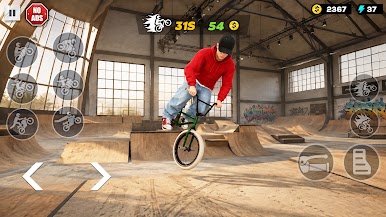
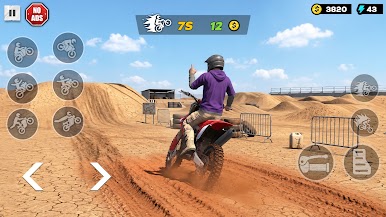
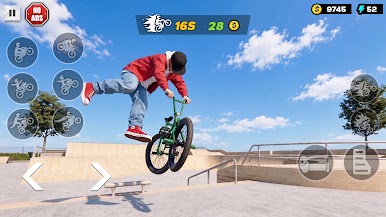
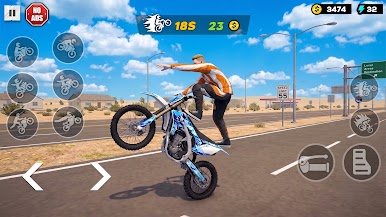
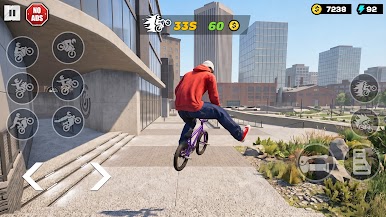
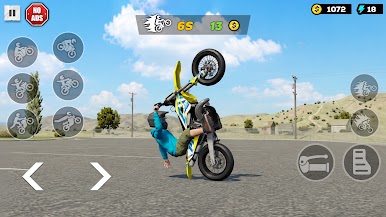
Wheelie Boy: Moto Street Life is a street-focused take on Racing that’s all about balance, guts, and clean style. You’re riding with the front tire in the air, skimming past traffic and timing jumps while trying to stretch that perfect wheelie just a little farther. It’s easy to start, tough to master, and feels extra precise with keyboard controls on BlueStacks.
Game Features
- Core Wheelie Challenge: Keep the front up and your balance locked while the road throws traffic and bumps your way—the longer the run, the bigger the score.
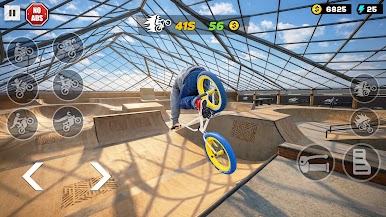
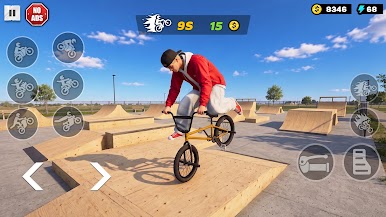
- Freestyle Flow: Thread through cars, hit ramps at speed, and chain tricks together without dropping the wheel for satisfying, high-scoring combos.
- Simple, Skill-First Controls: Pick it up fast with straightforward inputs, then learn the tiny throttle and tilt adjustments that separate clean runs from close calls.
- Risk vs. Reward: Going faster feels great but makes balancing spicier; play it safe for distance or push the pace to chase massive numbers.
- Upgrades and New Streets: Improve your bike’s performance and unlock fresh stretches of city pavement that change how you approach each ride.
- Built for Any Style: Prefer steady, controlled balance runs or bold stunt-heavy lines? Both paths work—and both can top the charts.
- One More Try Energy: Every wipeout stings just enough to make you jump back in and beat your last record, because you know you were this close.
BlueStacks gives you more room to focus on the game and less time adjusting around mobile limitations.
Play Wheelie Boy: Moto Street Life on PC. It’s easy to get started.
-
Download and install BlueStacks on your PC
-
Complete Google sign-in to access the Play Store, or do it later
-
Look for Wheelie Boy: Moto Street Life in the search bar at the top right corner
-
Click to install Wheelie Boy: Moto Street Life from the search results
-
Complete Google sign-in (if you skipped step 2) to install Wheelie Boy: Moto Street Life
-
Click the Wheelie Boy: Moto Street Life icon on the home screen to start playing


