



Play Findy: Hidden Object Search on PC or Mac
Play Findy: Hidden Object Search by Playful Bytes on PC or Mac with BlueStacks. Use a bigger screen, mouse and keyboard controls, and smoother performance while you play.
About the Game
Findy: Hidden Object Search is a chill Puzzle experience built for people who love spotting the little details. Each scene is a richly illustrated snapshot packed with sneaky items to discover, and you can take your time—no rush or timers nudging you along. Prefer a bigger view? It plays nicely on PC with BlueStacks for comfortable, click-by-click searching.
Game Features
- Relaxed, untimed play: Explore each scene at your own pace without countdowns or pressure.
- Rich, cozy scenes: Browse hand-crafted illustrations full of color, texture, and tiny surprises waiting in the corners.
- Clear item list: A simple checklist shows what you’re hunting; match the icons, then track each one down.
- Tap-and-find satisfaction: Spot an object, tap it, and watch your list shrink—simple, snappy, and gratifying.
- Smart hint system: Stuck on something sneaky? A magnifying-glass hint nudges you toward the spot you missed.
- Zoom for precision: Pinch to zoom and pan around to peek under shadows and sift through cluttered spaces.
- Gentle difficulty curve: Start with breezy scenes, then ease into trickier layouts with clever hiding places.
- Light brain workout: Build focus and short-term memory while you unwind—no heavy mental load required.
- Play your way: Quick bursts or longer sessions both feel great, and it’s extra comfy to enjoy on BlueStacks with a mouse.
Get ready for a buttery smooth, high-performance gaming action only on BlueStacks.

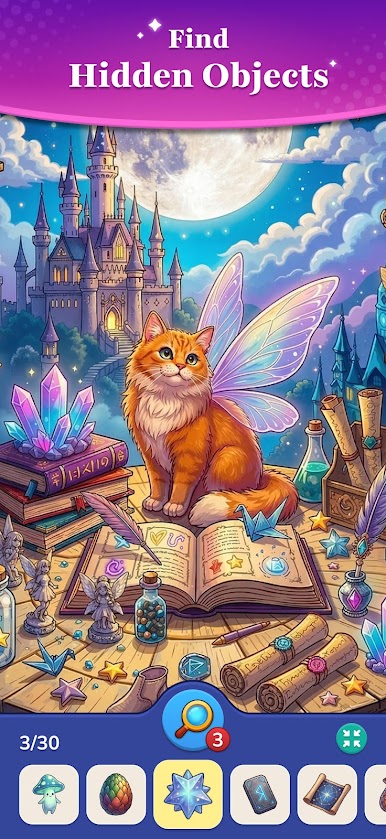

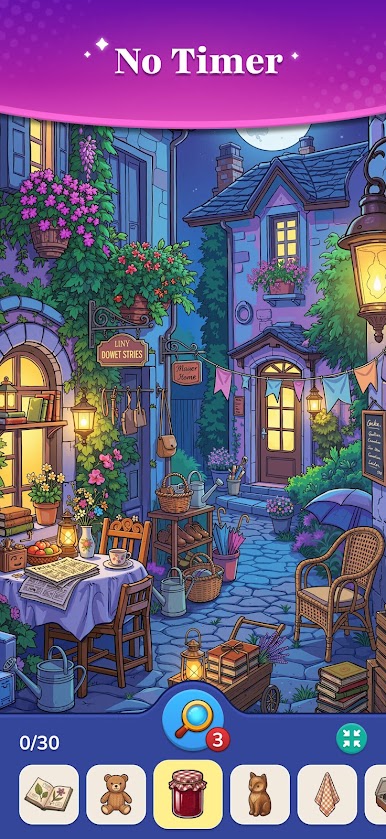

Play Findy: Hidden Object Search on PC. It’s easy to get started.
-
Download and install BlueStacks on your PC
-
Complete Google sign-in to access the Play Store, or do it later
-
Look for Findy: Hidden Object Search in the search bar at the top right corner
-
Click to install Findy: Hidden Object Search from the search results
-
Complete Google sign-in (if you skipped step 2) to install Findy: Hidden Object Search
-
Click the Findy: Hidden Object Search icon on the home screen to start playing


