Quarantine Zone: Zombie Game

Quarantine Zone: Zombie Game

Role Playing

| Glory Games Studio

Play on PC with BlueStacks or from our cloud

  • Overview
  • Game Features
  • How to Play

Page Modified On: October 08, 2026

Play Quarantine Zone: Zombie Game on PC or Mac

Quarantine Zone: Zombie Game by Glory Games Studio has plenty to keep you busy. BlueStacks lets you play it on PC or Mac with more screen space, better control, and fewer mobile limits.

About the Game

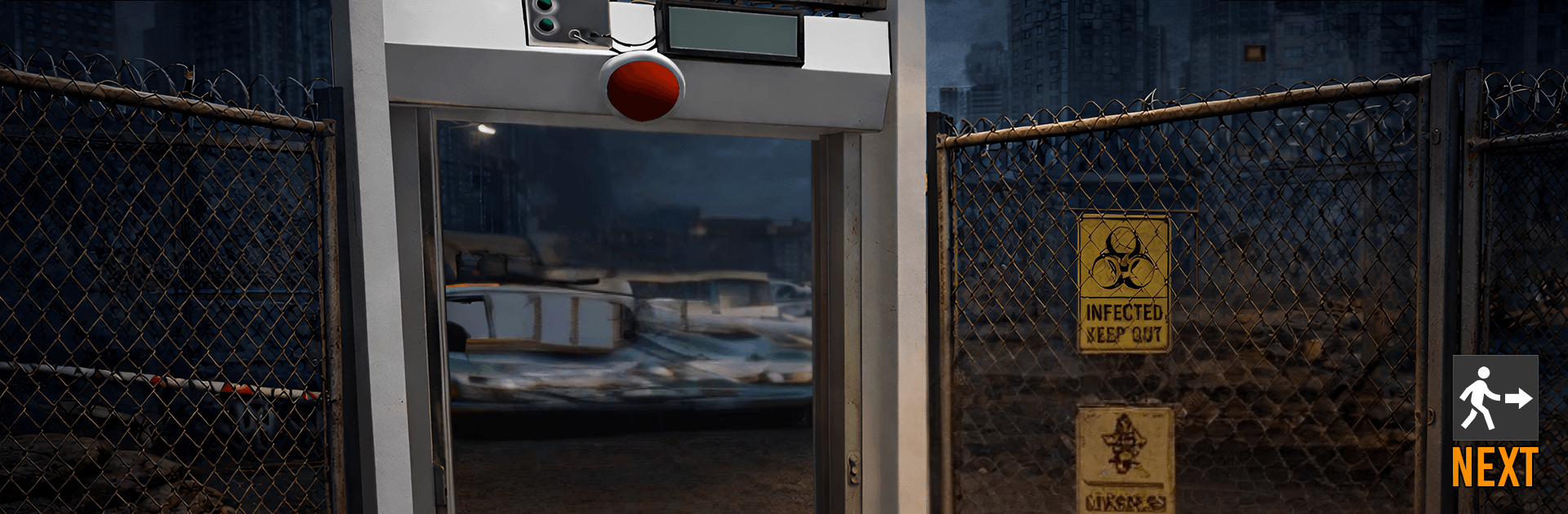
Quarantine Zone: Zombie Game hands you the job nobody envies: guarding the last city’s checkpoint and deciding who gets through. This Role Playing experience trades gunfire for keen observation and tough judgment calls—every ID, stamp, and cough matters, and your call sticks. Prefer a desk-and-mouse setup? It plays smoothly on PC with BlueStacks.

Game Features

  • Document Checks, Down to the Comma: Cross-check IDs, medical reports, and travel papers, spot mismatched names or dates, and catch missing seals or forgeries before they slip past.
  • Hidden Symptoms, Hard Truths: Scan arrivals for subtle tells—shivers, bandaged bites, shaky alibis—and decide to approve, deny, or isolate when something doesn’t add up.
  • Rising Stakes, Longer Lines: Each shift ramps up with more people, denser paperwork, and trickier infection signs, pushing your focus as the routine gets tougher.
  • Decisions That Stick: Right or wrong, your calls shape the checkpoint’s stability and the ongoing narrative, with outcomes logged squarely in the game world.
  • Strategy Over Trigger Pulls: Gameplay leans on observation, logic, and procedure—not twitch reflexes—so patience and attention beat reckless speed.
  • Protocols You Can Trust: Follow established rules and use screening tools to identify risks, enforce entry standards, and keep the city safe one case at a time.
  • Shifts With Character: New cases bring fresh wrinkles and edge cases, so patterns help—but outliers will test your instincts and your consistency.

BlueStacks gives you more room to focus on the game and less time adjusting around mobile limitations.

Game Features

Enhancements

  • Macros
  • Rerolling
  • Eco Mode
  • Multi Instance Sync
  • Enhancements
Macros

Macros

Focus more on the fun part of the game, skip the tedious aspects. Master Quarantine Zone: Zombie Game with Macros. Record yourself completing the monotonous tasks you wish to automate and replay them later with just one keypress.
Rerolling

Rerolling

Speed up the rerolling process in Quarantine Zone: Zombie Game. Perform multiple summons and keep looking for the best Heroes. Use Multi-Instance sync to replicate the rerolling mechanism in all instances.
Eco Mode

Eco Mode

Farm in-game resources with ease in Quarantine Zone: Zombie Game. Enable the Eco Mode when running the game in multiple instances. And lower your PC's resource consumption.
Multi Instance Sync

Multi Instance Sync

With the Multi-instance Sync, you can do even more in Quarantine Zone: Zombie Game. Sync the action of the main instance and repeat them in real time for all other instances. Sync and sit back, let the game progress unfold.
Read More

How to Download and Play Quarantine Zone: Zombie Game on PC or Mac

  • Download and install BlueStacks on your PC or Mac

  • Complete Google sign-in to access the Play Store, or do it later

  • Look for Quarantine Zone: Zombie Game in the search bar at the top right corner

  • Click to install Quarantine Zone: Zombie Game from the search results

  • Complete Google sign-in (if you skipped step 2) to install Quarantine Zone: Zombie Game

  • Click the Quarantine Zone: Zombie Game icon on the home screen to start playing

video
Watch Video

Minimum System Requirements

With BlueStacks 5, you can get started on a PC that fulfills the following requirements.

  • Operating System

    Microsoft Windows 7 or above, macOS 11 (Big Sur) or above

  • Processor

    Intel, AMD or Apple Silicon Processor

  • RAM

    at least 4GB

  • HDD

    10GB Free Disk Space

Note:

* You must be an Administrator on your PC. Up to date graphics drivers from Microsoft or the chipset vendor.

Quarantine Zone: Zombie Game - FAQs

  • How to play Quarantine Zone: Zombie Game on Windows PC & Mac?

    Play Quarantine Zone: Zombie Game on your PC or Mac by following these simple steps.

    • Click on 'Play Quarantine Zone: Zombie Game on PC’ to download BlueStacks
    • Install it and log-in to Google Play Store
    • Launch and play the game.
  • Why is BlueStacks the fastest and safest platform to play games on PC?

    BlueStacks respects your privacy and is always safe and secure to use. It does not carry any malware, spyware, or any sort of additional software that could harm your PC.

    It is engineered to optimize speed and performance for a seamless gaming experience.

  • What are Quarantine Zone: Zombie Game PC requirements?

    Minimum requirement to run Quarantine Zone: Zombie Game on your PC

    • OS: Microsoft Windows 7 or above MacOS 11 (Big Sur) or above
    • Processor: Intel, AMD or Apple Silicon Processor
    • RAM: Your PC must have at least 4GB of RAM. (Note that having 4GB or more disk space is not a substitute for RAM)
    • HDD: 10GB Free Disk Space.
    • You must be an Administrator on your PC.
