Humanoid Robot Inc
Humanoid Robot Inc

Humanoid Robot Inc

Simulation

| Wuhan Sonow technology co ltd

Play on PC with BlueStacks or from our cloud

  • Overview
  • Game Features
  • How to Play

Page Modified On: October 30, 2026

Play Humanoid Robot Inc on PC or Mac

Bring your A-game to Humanoid Robot Inc, the Simulation game sensation from Wuhan Sonow technology co ltd. Give your gameplay the much-needed boost with precise game controls, high FPS graphics, and top-tier features on your PC or Mac with BlueStacks.

About the Game

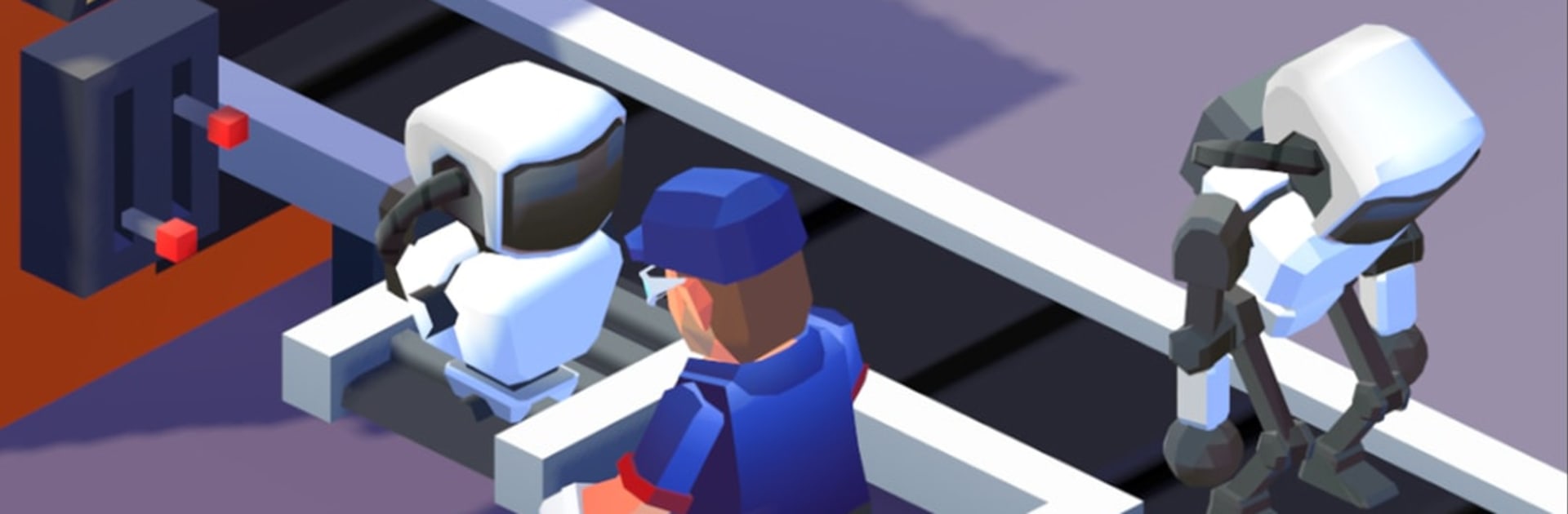
Humanoid Robot Inc hands you the keys to a bustling robotics facility where every upgrade, order, and conveyor tweak matters. This Simulation blends relaxed idle progress with satisfying, hands-on management as you accept contracts, assemble humanoids, and scale a smart, efficient factory. Prefer a larger screen? It runs smoothly on BlueStacks without getting in your way.

Game Features

  • Build the line from frame to firmware: Assemble each unit step by step—chassis, power, software, and fine-tuning—so every robot shipped feels earned.
  • Orders and contracts: Pick the jobs that fit your capacity, hit quality goals, and time deliveries to keep clients happy and profits steady.
  • Automation that actually helps: Set up conveyors, training stations, and charging bays to run themselves so production keeps flowing even when you’re off doing something else.
  • Upgrades with real impact: Speed up stations, improve accuracy, and cut downtime; every reinvestment shows up on the output counter.
  • Expand the floor plan: Unlock new departments and additional levels to handle bigger batches, premium models, and more complex workflows.
  • Robot models with personality: Build different humanoid types for specific roles, then tweak stats to match what buyers want.
  • Data you can act on: Use clean dashboards to spot bottlenecks, balance workloads, and decide where the next dollar should go.
  • Idle-friendly, micromanager-approved: Nudge production with quick boosts when you’re around, or let the factory hum along while you’re away.
  • Satisfying growth curve: Start with a scrappy workshop and turn it into a polished, high-output complex that practically prints revenue.

BlueStacks gives you more room to focus on the game and less time adjusting around mobile limitations.

Game Features

Enhancements

  • Macros
  • Multi Instance
  • Multi Instance Sync
  • Script
  • Enhancements
Macros

Macros

Automate the predictable in Humanoid Robot Inc and transform your gameplay with Macros. Get access to inventive Macros in the BlueStacks Macro Community
Multi Instance

Multi Instance

Play Humanoid Robot Inc on one window. And chat with your friend on the other. Press CTRL + Shift + 8 to open the Multi-Instance Manager. And start creating fresh instances or clone an existing one.
Multi Instance Sync

Multi Instance Sync

Play Humanoid Robot Inc with the power of Multi-Instance Sync. Replicate what you are doing on the main instance on all other instances. Level up faster, play more.
Script

Script

Script your way to gaming glory in Humanoid Robot Inc with BlueStacks Script. Write and run a set of commands to automate repeated tasks. Trigger the command by assigning it to any key.
Read More

How to Download and Play Humanoid Robot Inc on PC or Mac

  • Download and install BlueStacks on your PC or Mac

  • Complete Google sign-in to access the Play Store, or do it later

  • Look for Humanoid Robot Inc in the search bar at the top right corner

  • Click to install Humanoid Robot Inc from the search results

  • Complete Google sign-in (if you skipped step 2) to install Humanoid Robot Inc

  • Click the Humanoid Robot Inc icon on the home screen to start playing

video
Watch Video

Minimum System Requirements

With BlueStacks 5, you can get started on a PC that fulfills the following requirements.

  • Operating System

    Microsoft Windows 7 or above, macOS 11 (Big Sur) or above

  • Processor

    Intel, AMD or Apple Silicon Processor

  • RAM

    at least 4GB

  • HDD

    10GB Free Disk Space

Note:

* You must be an Administrator on your PC. Up to date graphics drivers from Microsoft or the chipset vendor.

Humanoid Robot Inc - FAQs

  • How to play Humanoid Robot Inc on Windows PC & Mac?

    Play Humanoid Robot Inc on your PC or Mac by following these simple steps.

    • Click on 'Play Humanoid Robot Inc on PC’ to download BlueStacks
    • Install it and log-in to Google Play Store
    • Launch and play the game.
  • Why is BlueStacks the fastest and safest platform to play games on PC?

    BlueStacks respects your privacy and is always safe and secure to use. It does not carry any malware, spyware, or any sort of additional software that could harm your PC.

    It is engineered to optimize speed and performance for a seamless gaming experience.

  • What are Humanoid Robot Inc PC requirements?

    Minimum requirement to run Humanoid Robot Inc on your PC

    • OS: Microsoft Windows 7 or above MacOS 11 (Big Sur) or above
    • Processor: Intel, AMD or Apple Silicon Processor
    • RAM: Your PC must have at least 4GB of RAM. (Note that having 4GB or more disk space is not a substitute for RAM)
    • HDD: 10GB Free Disk Space.
    • You must be an Administrator on your PC.
