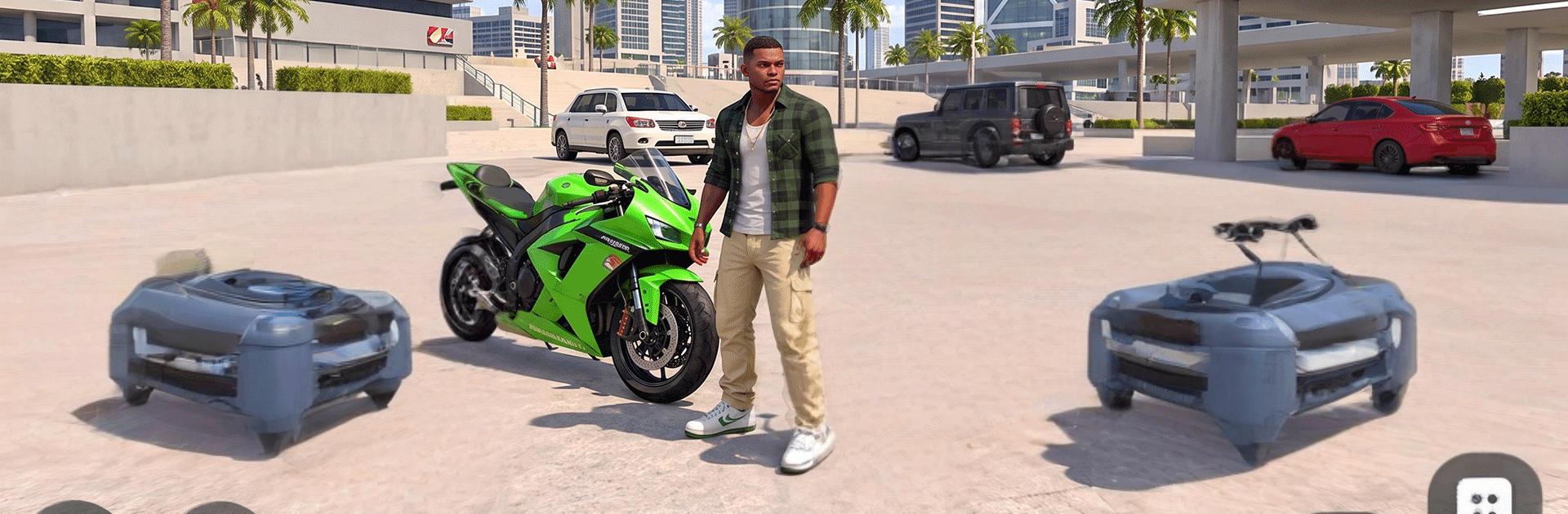
Indian Super GT5 Street Rider

Indian Super GT5 Street Rider

Simulation

| Mian Imran Construction Company Limited

Play on PC with BlueStacks or from our cloud

  • Overview
  • Game Features
  • How to Play

Page Modified On: November 19, 2026

Play Indian Super GT5 Street Rider on PC or Mac

Indian Super GT5 Street Rider by Mian Imran Construction Company Limited has plenty to keep you busy. BlueStacks lets you play it on PC or Mac with more screen space, better control, and fewer mobile limits.

About the Game

Indian Super GT5 Street Rider is all about tearing through a bustling city on two wheels—or swapping to whatever ride you’re feeling that moment. This Simulation mixes street racing, outrageous stunts, and open-ended chaos with a huge sandbox to explore, letting you jump from motorcycles to cars, trucks, aircraft, and more in seconds. Want a bigger view of the action? It runs nicely on BlueStacks if you like playing on a larger display.

Game Features

  • Massive city playground: Cruise wide highways, tight backstreets, and hidden stunt spots across a sprawling urban map with plenty of room to mess around.
  • 60+ vehicles to switch between: Rip on sport bikes and dirt bikes, or take the wheel of cars, buses, trucks, tractors, helicopters, airplanes, and even tanks—each with its own personality.
  • Bike tricks that actually feel good: Nail wheelies, stoppies, burnouts, and drifts, then chain them into clean freestyle lines for that “nailed it” moment.
  • Street races and highway heat: Thread traffic at insane speeds, tackle time trials, and push for clean exits off sketchy corners.
  • Police pursuits and urban chaos: Kick off chases, shake patrols with smart routes, and take on shootouts, gang clashes, and risky vehicle snatch-and-grab jobs.
  • Physics with bite: Weighty handling, believable damage, and punchy engine audio make every crash, scrape, and launch feel earned.
  • Tuned in the garage: Upgrade parts, tweak performance, and customize your favorite rides so they match your driving style.
  • Stunt routes and mega ramps: Hunt down dedicated trick spots, drop into giant ramps, and chase high-score challenges or just go full freestyle.
  • Travel your way: Hop a train to cross town fast or swap vehicles on the fly to keep the momentum going.
  • Handy cheat codes: Spawn select rides instantly to set up tests, create your perfect chase, or jump straight into mayhem.
  • Bikes that respond: Sport and dirt machines feel precise and snappy, whether you’re slicing lanes or sliding through dirt.
  • Open-ended mayhem: No strict path—mix racing, stunts, chases, and missions in whatever order keeps the adrenaline flowing.

BlueStacks gives you more room to focus on the game and less time adjusting around mobile limitations.

Game Features

Enhancements

  • Macros
  • Multi Instance
  • Multi Instance Sync
  • Script
  • Enhancements
Macros

Macros

Automate the predictable in Indian Super GT5 Street Rider and transform your gameplay with Macros. Get access to inventive Macros in the BlueStacks Macro Community
Multi Instance

Multi Instance

Play Indian Super GT5 Street Rider on one window. And chat with your friend on the other. Press CTRL + Shift + 8 to open the Multi-Instance Manager. And start creating fresh instances or clone an existing one.
Multi Instance Sync

Multi Instance Sync

Play Indian Super GT5 Street Rider with the power of Multi-Instance Sync. Replicate what you are doing on the main instance on all other instances. Level up faster, play more.
Script

Script

Script your way to gaming glory in Indian Super GT5 Street Rider with BlueStacks Script. Write and run a set of commands to automate repeated tasks. Trigger the command by assigning it to any key.
Read More

How to Download and Play Indian Super GT5 Street Rider on PC or Mac

  • Download and install BlueStacks on your PC or Mac

  • Complete Google sign-in to access the Play Store, or do it later

  • Look for Indian Super GT5 Street Rider in the search bar at the top right corner

  • Click to install Indian Super GT5 Street Rider from the search results

  • Complete Google sign-in (if you skipped step 2) to install Indian Super GT5 Street Rider

  • Click the Indian Super GT5 Street Rider icon on the home screen to start playing

video
Watch Video

Minimum System Requirements

With BlueStacks 5, you can get started on a PC that fulfills the following requirements.

  • Operating System

    Microsoft Windows 7 or above, macOS 11 (Big Sur) or above

  • Processor

    Intel, AMD or Apple Silicon Processor

  • RAM

    at least 4GB

  • HDD

    10GB Free Disk Space

Note:

* You must be an Administrator on your PC. Up to date graphics drivers from Microsoft or the chipset vendor.

Indian Super GT5 Street Rider - FAQs

  • How to play Indian Super GT5 Street Rider on Windows PC & Mac?

    Play Indian Super GT5 Street Rider on your PC or Mac by following these simple steps.

    • Click on 'Play Indian Super GT5 Street Rider on PC’ to download BlueStacks
    • Install it and log-in to Google Play Store
    • Launch and play the game.
  • Why is BlueStacks the fastest and safest platform to play games on PC?

    BlueStacks respects your privacy and is always safe and secure to use. It does not carry any malware, spyware, or any sort of additional software that could harm your PC.

    It is engineered to optimize speed and performance for a seamless gaming experience.

  • What are Indian Super GT5 Street Rider PC requirements?

    Minimum requirement to run Indian Super GT5 Street Rider on your PC

    • OS: Microsoft Windows 7 or above MacOS 11 (Big Sur) or above
    • Processor: Intel, AMD or Apple Silicon Processor
    • RAM: Your PC must have at least 4GB of RAM. (Note that having 4GB or more disk space is not a substitute for RAM)
    • HDD: 10GB Free Disk Space.
    • You must be an Administrator on your PC.
