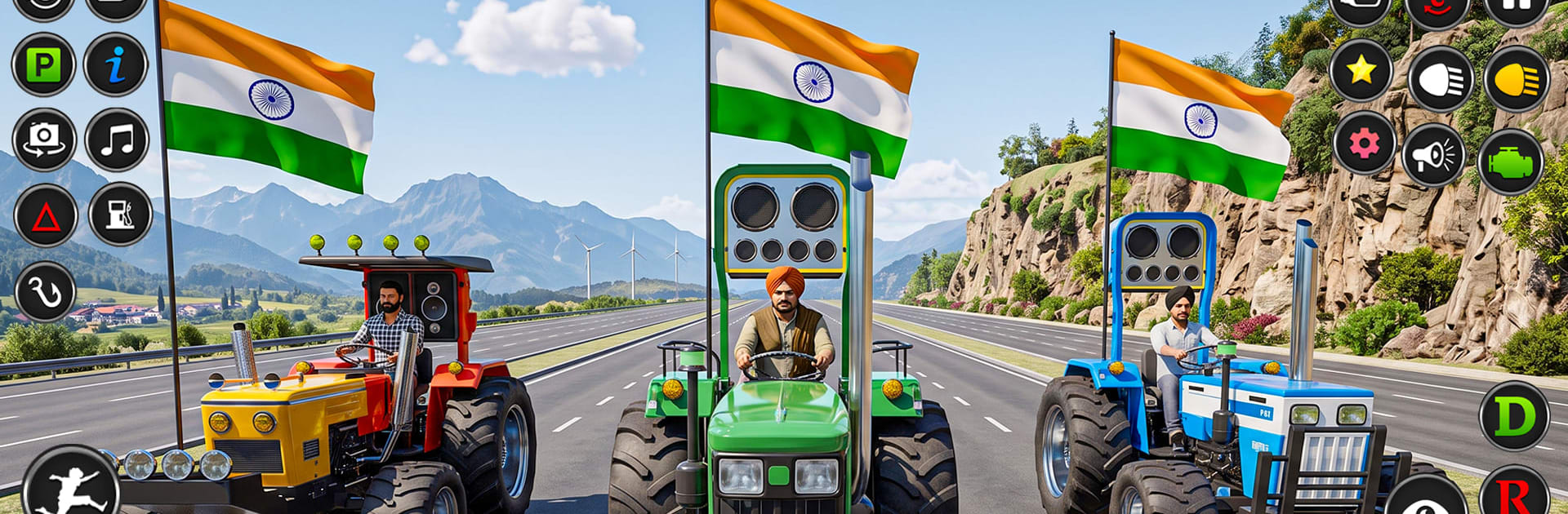
Farm Tractor Farming Games 3D

Farm Tractor Farming Games 3D

Strategy

| Chromic Apps

Play on PC with BlueStacks or from our cloud

  • Overview
  • Game Features
  • How to Play

Page Modified On: October 30, 2026

Play Farm Tractor Farming Games 3D on PC or Mac

Step into the World of Farm Tractor Farming Games 3D, a thrilling Strategy game from the house of Chromic Apps. Play this Android game on BlueStacks App Player and experience immersive gaming on PC or Mac.

About the Game

Farm Tractor Farming Games 3D puts you behind the wheel of heavy machines and drops you into a big, messy, very real slice of countryside life. It’s a Strategy experience where planning matters—pick the right tractor, read the terrain, and decide when to push hard or play it safe. One minute you’re hauling goods across rough trails, the next you’re in a head-to-head pulling “touchan” faceoff, and then you’re back to honest field work. Prefer tight, precise controls? It plays smoothly on PC with BlueStacks.

Game Features

  • Three modes, three vibes: Tackle delivery runs, go toe-to-toe in tractor pulling “touchan” battles, or switch gears and handle the full farming loop.
  • Open-country delivery runs: Navigate rocky paths, narrow bridges, and muddy slopes while keeping your cargo upright and your nerves steady.
  • Touchan tractor pulling: Chain up, build torque, manage grip, and outmuscle rivals in gritty, no-nonsense pull duels.
  • Real farm work, start to finish: Plow, sow, and harvest at your own pace, choosing the right implements and timing for each job.
  • Tractors that earn their keep: Unlock machines that feel different to drive, then tune them with smarter tires, weight setups, and power tweaks.
  • Terrain that fights back: Expect ruts, bumps, and slick patches that force you to adjust speed, line, and gear on the fly.
  • Controls that feel right: Simple to pick up, satisfying to master—smooth steering, clear feedback, and plenty of room for skillful driving.

BlueStacks gives you more room to focus on the game and less time adjusting around mobile limitations.

Game Features

Enhancements

  • Macros
  • Multi Instance
  • Multi Instance Sync
  • Eco Mode
  • Enhancements
Macros

Macros

Skip the boring parts of a game. Play Farm Tractor Farming Games 3D with Macros and get the edge. Simply record a sequence of commands and execute them at any moment.
Multi Instance

Multi Instance

Why limit to one game on your phone when you can play many on your PC? Open multiple instances of Farm Tractor Farming Games 3D at once with Multi-Instance. Leverage the power of different accounts by doing more.
Multi Instance Sync

Multi Instance Sync

Get the best out of Farm Tractor Farming Games 3D with Multi-Instance Sync. Play the game from different accounts and build your own empire. Use Multi-instance sync to repeat the action in the main BlueStacks instance on all other instances.
Eco Mode

Eco Mode

Find the rarest heroes by making multiple summons in Farm Tractor Farming Games 3D. And while you are at it, reduce your PC’s resource consumption with the Eco Mode. Farm efficiently. Get the best results.
Read More

How to Download and Play Farm Tractor Farming Games 3D on PC or Mac

  • Download and install BlueStacks on your PC or Mac

  • Complete Google sign-in to access the Play Store, or do it later

  • Look for Farm Tractor Farming Games 3D in the search bar at the top right corner

  • Click to install Farm Tractor Farming Games 3D from the search results

  • Complete Google sign-in (if you skipped step 2) to install Farm Tractor Farming Games 3D

  • Click the Farm Tractor Farming Games 3D icon on the home screen to start playing

video
Watch Video

Minimum System Requirements

With BlueStacks 5, you can get started on a PC that fulfills the following requirements.

  • Operating System

    Microsoft Windows 7 or above, macOS 11 (Big Sur) or above

  • Processor

    Intel, AMD or Apple Silicon Processor

  • RAM

    at least 4GB

  • HDD

    10GB Free Disk Space

Note:

* You must be an Administrator on your PC. Up to date graphics drivers from Microsoft or the chipset vendor.

Farm Tractor Farming Games 3D - FAQs

  • How to play Farm Tractor Farming Games 3D on Windows PC & Mac?

    Play Farm Tractor Farming Games 3D on your PC or Mac by following these simple steps.

    • Click on 'Play Farm Tractor Farming Games 3D on PC’ to download BlueStacks
    • Install it and log-in to Google Play Store
    • Launch and play the game.
  • Why is BlueStacks the fastest and safest platform to play games on PC?

    BlueStacks respects your privacy and is always safe and secure to use. It does not carry any malware, spyware, or any sort of additional software that could harm your PC.

    It is engineered to optimize speed and performance for a seamless gaming experience.

  • What are Farm Tractor Farming Games 3D PC requirements?

    Minimum requirement to run Farm Tractor Farming Games 3D on your PC

    • OS: Microsoft Windows 7 or above MacOS 11 (Big Sur) or above
    • Processor: Intel, AMD or Apple Silicon Processor
    • RAM: Your PC must have at least 4GB of RAM. (Note that having 4GB or more disk space is not a substitute for RAM)
    • HDD: 10GB Free Disk Space.
    • You must be an Administrator on your PC.
