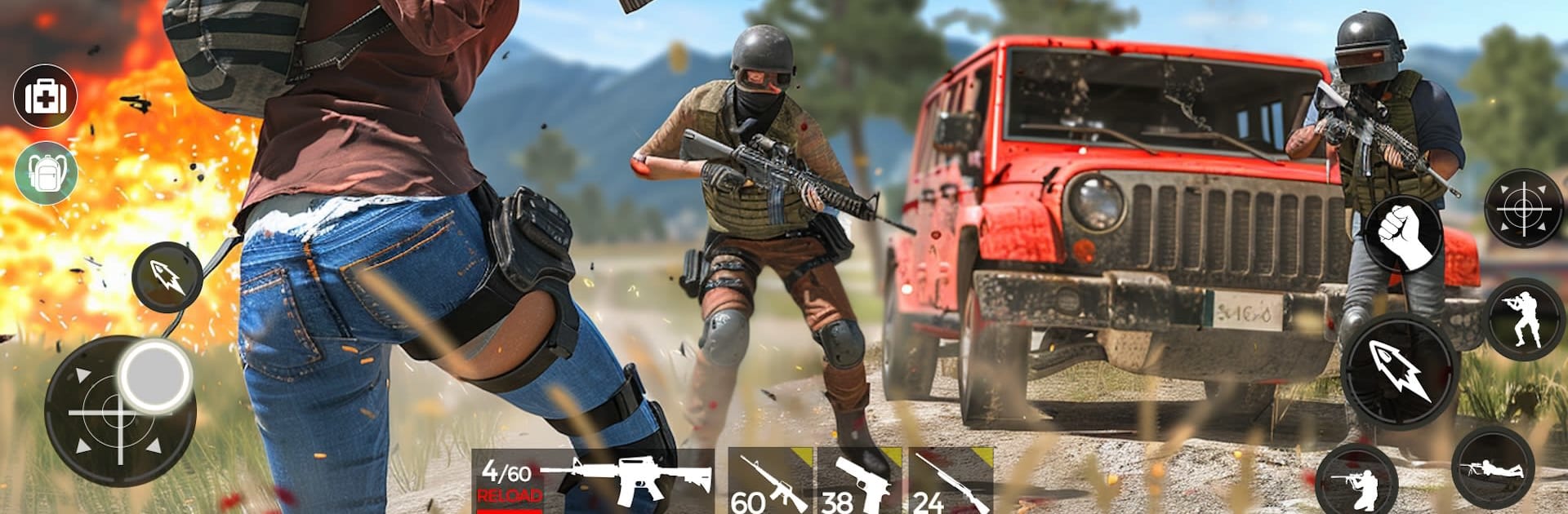
FPS Shooting Gun Games Offline

FPS Shooting Gun Games Offline

Action

| TW Games Studios

Play on PC with BlueStacks or from our cloud

  • Overview
  • Game Features
  • How to Play

Page Modified On: September 21, 2026

Play FPS Shooting Gun Games Offline on PC or Mac

Step into the World of FPS Shooting Gun Games Offline, a thrilling Action game from the house of TW Games Studios. Play this Android game on BlueStacks App Player and experience immersive gaming on PC or Mac.

About the Game

FPS Shooting Gun Games Offline drops you into tense missions where every shot matters and every corner could hide trouble. You’re the boots-on-the-ground commando handling risky raids, clutch sniper shots, and last-stand defenses—without needing a connection. It’s an Action FPS that plays fast, feels punchy, and lets you clear objectives your way. Prefer a bigger screen and mouse aim? It also feels great on PC with BlueStacks.

Game Features

  • Mission-based firefights: Tackle compact, objective-focused ops across hostile zones—clear rooms, secure intel, and hold the line under pressure.
  • Offline anytime: Play the full experience without a connection, perfect for quick sessions or long stretches of gunplay.
  • Real gun sandbox: Build your loadout with assault rifles, LMGs, shotguns, pistols, and grenades—swap optics and fine-tune for your style.
  • Sniper 3D moments: Line up high-stakes shots with responsive scopes and satisfying feedback when you nail that perfect hit.
  • Smart enemy encounters: Expect flanks, grenade pressure, and aggressive pushes that force you to think fast and use cover.
  • Smooth, responsive controls: Crisp aiming, adjustable sensitivity, and clean HUD options keep you in control during hectic fights.
  • Varied combat arenas: Fight through tight interiors, dusty streets, and open ridgelines that change how you move and shoot.
  • Stealth or shock tactics: Sneak in with suppressed fire or crash the door with heavy weapons—the mission adapts to your approach.
  • Survival and challenge modes: Test endurance against waves and time-based drills that sharpen accuracy and reaction speed.
  • Punchy audio and effects: Sharp gun sounds, punchy recoil, and clear hit reactions make every encounter feel grounded and intense.

Ready to top the leaderboard? We bet you do. Let precise controls and sharp visuals optimized on BlueStacks lead you to victory.

Game Features

Enhancements

  • Macros
  • Multi Instance
  • Multi Instance Sync
  • Eco Mode
  • Enhancements
Macros

Macros

Skip the boring parts of a game. Play FPS Shooting Gun Games Offline with Macros and get the edge. Simply record a sequence of commands and execute them at any moment.
Multi Instance

Multi Instance

Why limit to one game on your phone when you can play many on your PC? Open multiple instances of FPS Shooting Gun Games Offline at once with Multi-Instance. Leverage the power of different accounts by doing more.
Multi Instance Sync

Multi Instance Sync

Get the best out of FPS Shooting Gun Games Offline with Multi-Instance Sync. Play the game from different accounts and build your own empire. Use Multi-instance sync to repeat the action in the main BlueStacks instance on all other instances.
Eco Mode

Eco Mode

Find the rarest heroes by making multiple summons in FPS Shooting Gun Games Offline. And while you are at it, reduce your PC’s resource consumption with the Eco Mode. Farm efficiently. Get the best results.
Read More

How to Download and Play FPS Shooting Gun Games Offline on PC or Mac

  • Download and install BlueStacks on your PC or Mac

  • Complete Google sign-in to access the Play Store, or do it later

  • Look for FPS Shooting Gun Games Offline in the search bar at the top right corner

  • Click to install FPS Shooting Gun Games Offline from the search results

  • Complete Google sign-in (if you skipped step 2) to install FPS Shooting Gun Games Offline

  • Click the FPS Shooting Gun Games Offline icon on the home screen to start playing

video
Watch Video

Minimum System Requirements

With BlueStacks 5, you can get started on a PC that fulfills the following requirements.

  • Operating System

    Microsoft Windows 7 or above, macOS 11 (Big Sur) or above

  • Processor

    Intel, AMD or Apple Silicon Processor

  • RAM

    at least 4GB

  • HDD

    10GB Free Disk Space

Note:

* You must be an Administrator on your PC. Up to date graphics drivers from Microsoft or the chipset vendor.

FPS Shooting Gun Games Offline - FAQs

  • How to play FPS Shooting Gun Games Offline on Windows PC & Mac?

    Play FPS Shooting Gun Games Offline on your PC or Mac by following these simple steps.

    • Click on 'Play FPS Shooting Gun Games Offline on PC’ to download BlueStacks
    • Install it and log-in to Google Play Store
    • Launch and play the game.
  • Why is BlueStacks the fastest and safest platform to play games on PC?

    BlueStacks respects your privacy and is always safe and secure to use. It does not carry any malware, spyware, or any sort of additional software that could harm your PC.

    It is engineered to optimize speed and performance for a seamless gaming experience.

  • What are FPS Shooting Gun Games Offline PC requirements?

    Minimum requirement to run FPS Shooting Gun Games Offline on your PC

    • OS: Microsoft Windows 7 or above MacOS 11 (Big Sur) or above
    • Processor: Intel, AMD or Apple Silicon Processor
    • RAM: Your PC must have at least 4GB of RAM. (Note that having 4GB or more disk space is not a substitute for RAM)
    • HDD: 10GB Free Disk Space.
    • You must be an Administrator on your PC.
